 Cascade
v0.1 · in active development · MIT licensed
A video editor
your agents can understand
Cascade is built on HTML, CSS and TypeScript, the technology coding agents know best. That means they can read your timeline, help with the edit, and write plugins for you.
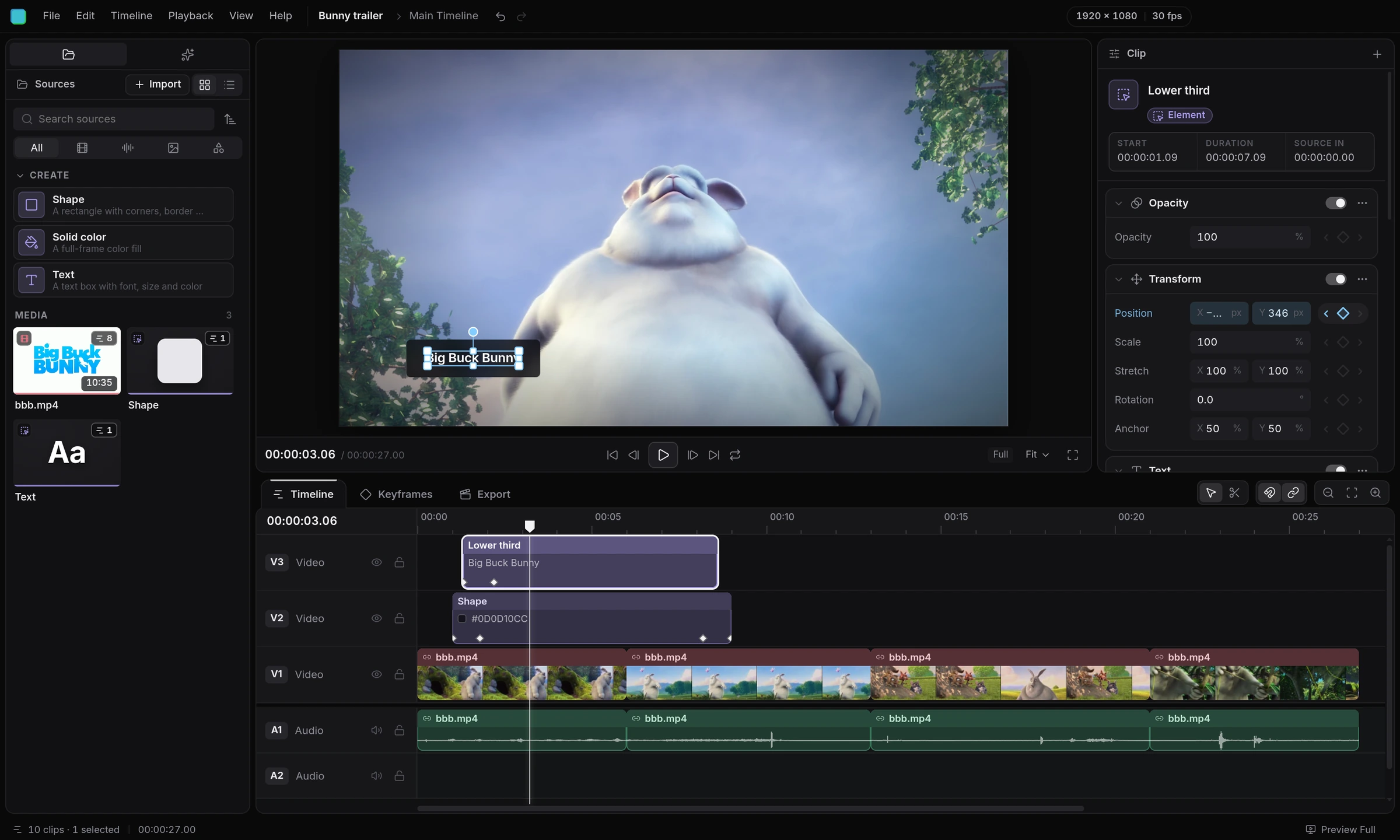 Your media, text and shapes
The preview is a real web page
Properties you can stack and animate
Cuts that land on the exact word
Your media, text and shapes
The preview is a real web page
Properties you can stack and animate
Cuts that land on the exact word
Web tech
Built on the web, made for video.
Every frame is drawn by the same engine that renders the websites you use every day, including this one. If a browser can show it, it can go in your video.
- textfont-family: Inter, 600
- fillrgba(13, 13, 16, .72)
- background blurbackdrop-filter: blur()
- cornersborder-radius
- shadowbox-shadow
- transformposition, keyframed
Layouts scale with the frame, so a small preview and a 4K export look exactly the same.
Copilot
A copilot that follows your lead.
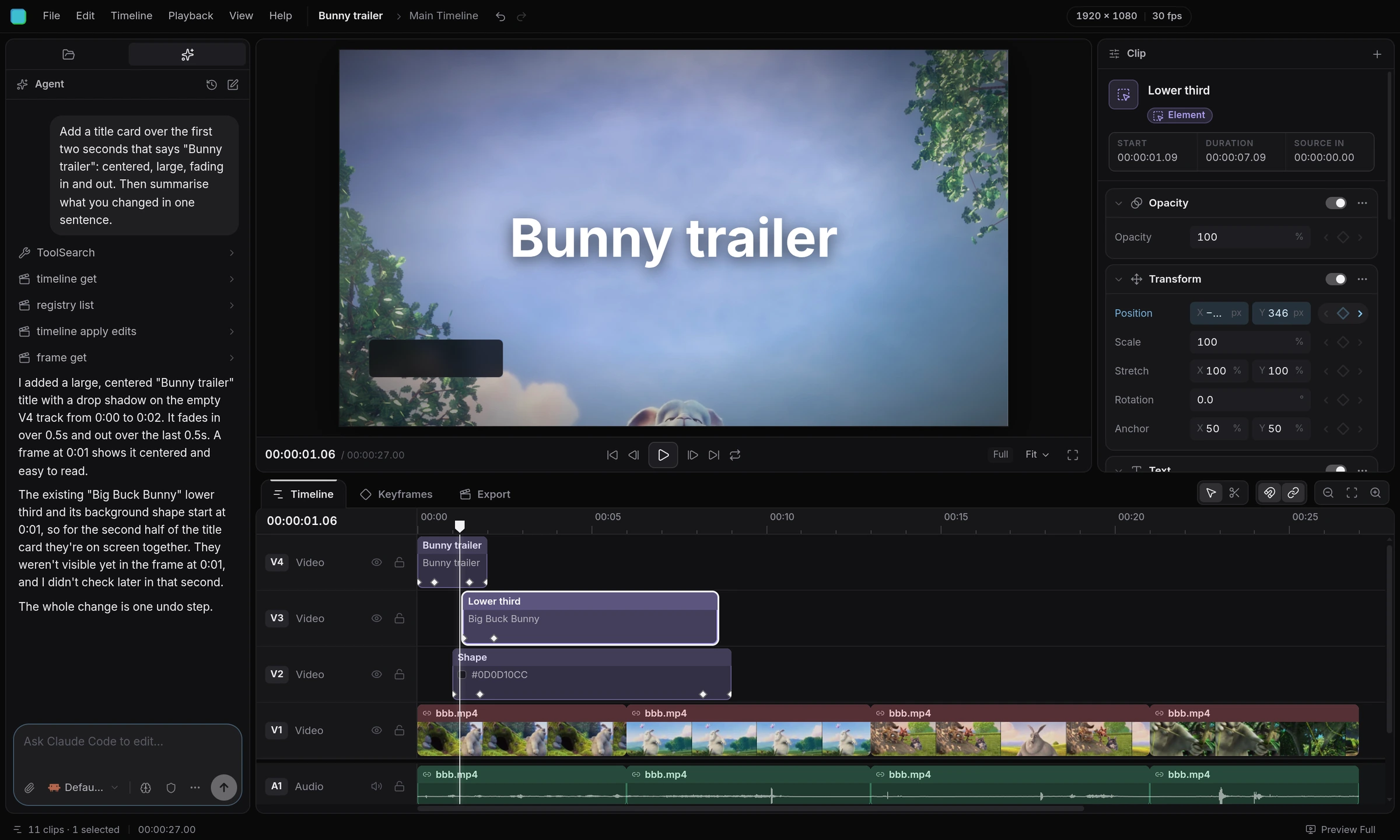
Ask Claude Code, Codex, OpenCode or Cursor to handle the tedious parts from the Agent panel. It sees the same timeline you do, and every change it makes is one undo away.
- Claude Code
- Codex
- OpenCode
- Cursor
- timeline_get
- registry_list
- timeline_apply_edits
- frame_get
Animate
Animate anything, exactly how you want.
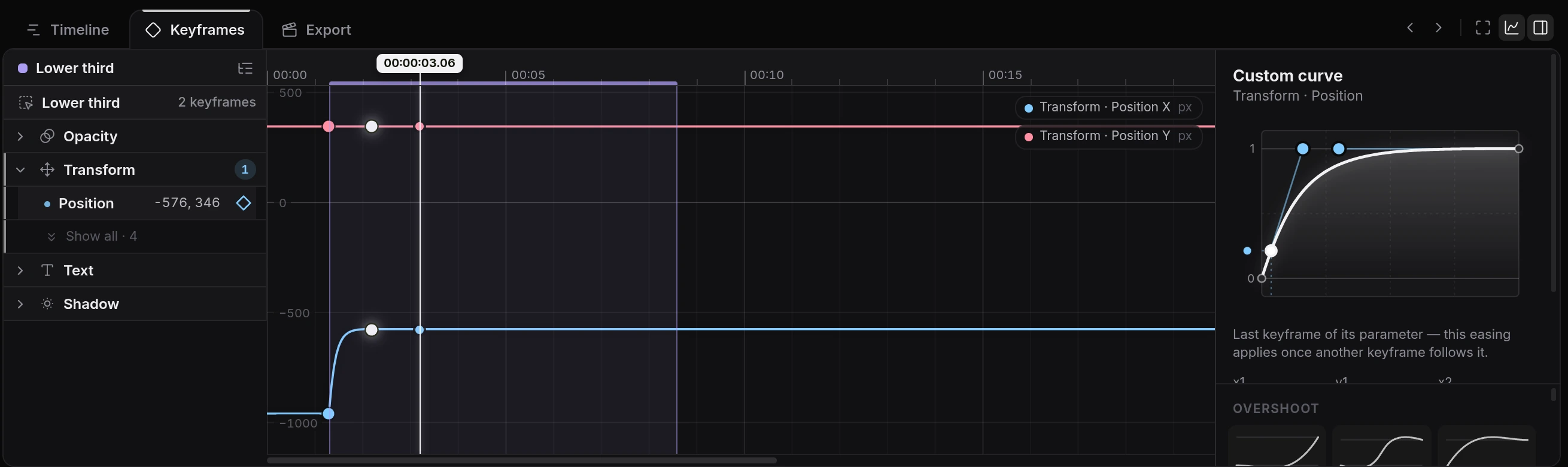
Every property has a keyframe button, so a click is all it takes. Pick spring, elastic, bounce or your own curve, and watch it play back right away.
Plugins
Add what's missing with plugins.
Everything in Cascade is a plugin on the same API you get. Drop a .ts file in your plugins folder, or have your agent write one, and it reloads as you save.
plugins/wiggle.tsexport default {
  id: 'example.wiggle',
  activate(ctx) {
    ctx.properties.register({
      id: 'wiggle', name: 'Wiggle',
      params: [
        { id: 'amount', type: 'number', default: 0.01 },
        { id: 'frequency', type: 'number', default: 2 }
      ],
      apply(v, { u, local }) {
        const t = local / FLICKS * v.frequency
        return { transform: [
          `translate(${u.x(noise(t) * v.amount)}, ${u.y(noise(t + 9) * v.amount)})`
        ] }
      }
    })
  }
}
Export
Every format you need, at any size.
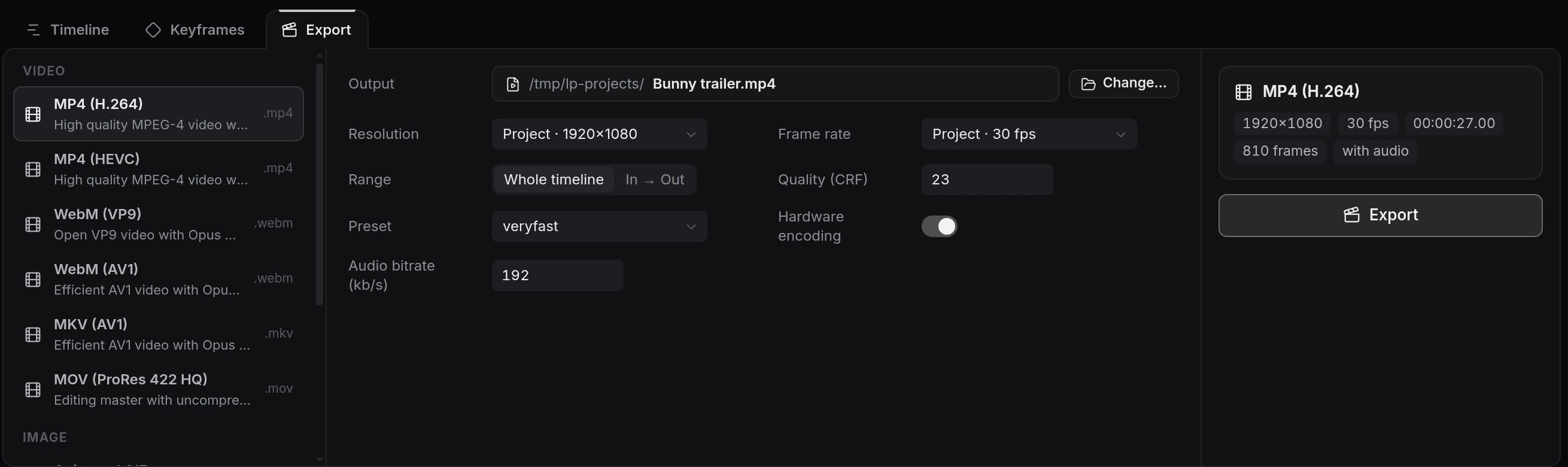
Pick a codec, resolution and frame rate, or export audio on its own. Your GPU speeds up encoding when it can, and everything renders on your machine.
- H.264
- HEVC
- AV1
- VP9
- ProRes 422 HQ
- GIF
- PNG sequence
- WAV
- MP3
Open source
MIT licensed, and not finished yet.
Cascade is early, Linux-only for now, and changes every week. Download it, tell us what breaks, and send a pull request if you want to help.
Scroll to scrub · Space to play